
Closing Technical Literacy Gaps with GenAI
You are crazy if you aren't doing this - just-in-time custom tutoring that meets you where you are? It's a no-brainer

You’ve Got Gaps, I’ve Got Gaps - This is Fine
We’ve all been there. You’re in a meeting where the jargon gets over your head. GraphQL vs Rest APIs, OLAP vs OLTP, Streaming vs Batch, Semantic Layer, Dimensional Models vs One Big Table.... Engineers and architects are engaging fluently, and you are following 40% of it.

As a data product leader myself (and thinking about the readiness of my team) I am acutely aware that we all have gaps.
We might have PMs who have a product background and love data, but no direct experience as an analyst or engineer. We hired them because they are motivated and have the raw aptitude, but they don’t know what they don’t know. We can work on more structured upskilling for key areas, but small gaps will come up constantly as they find their footing.
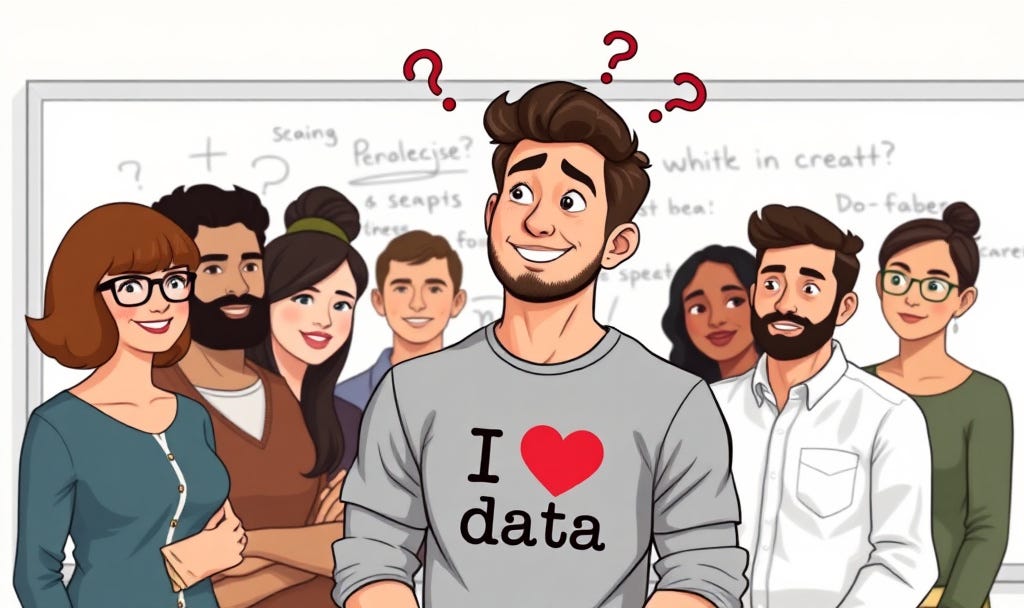
We might alternatively have a PM who is a former analyst and has deep expertise in many areas, but they don’t really understand how coding practices change for data engineers/scientists. Or what their workflows look like. Or how solving for scale is different than solving for a single analytical project.

Or no matter your background, you’ve got gaps - we all do. You are building requirements or just trying to keep up in an architecture discussion - and you need questions answered. Quickly.
It’s a struggle.
Data product management is a weird niche. It’s not something you study in school - everyone takes a meandering path into this role. This is exacerbated when you are working in a data platform product role and you need to understand at some level the breadth of the systems and workflows needed in an enterprise across all of your user personas (engineers, analysts, data scientists, and general business users). 😰
On top of that: the pace of technological change means new gaps are popping up every day - that’s just part of working in data right now.
So, it’s a challenge. To me it’s ALSO one of the funnest parts of the job - there’s always something new to learn. It’s rarely boring!
AI Tutors Help Close the Gaps
This has always been a challenge.
And google has been my friend. But digging through stack overflow threads or medium articles still often left me perplexed.
My engineers have also been amazing resources tutoring me as I made the transition from analyst to product to data product. But they are busy and it’s not their job to upskill me (though they generously continue to do so).
The last few years, however, getting answers from GenAI for this feels magical to me. It’s like having a personalized tutor who can explain things on demand. And is never annoyed with my follow up questions. And tells me how smart I am when I make a connection.
Generally, I don’t like an overly complimentary AI copilot, but in tutoring it’s nice when it validates me before gently pointing out my assumptions or the nuance I’m missing!
How about a few examples?
I think using AI in this way is pretty intuitive, but I also love practical examples of how people use AI. So here are actual questions I have asked in recent memory:
Explain to me like I’m five what Kubernetes is
→ Follow up: Okay great, but what do the engineers mean when they say, “Control Plane”?
Surely there must be an easy way to connect Excel to a data warehouse, right? Like besides ODBC drivers? Am I missing something?
→ Follow up: Okay so just ODBC drivers, but I can only find the driver for the PC…
→ Follow up: Wait is the only driver for Mac users a paid one? Seriously?
It’s the organic follow up & back and forth that is most magical to me. I can get a surface answer & that’s enough or I can dig a little more. I can ask for an analogy or a diagram.
I can connect it to things that are more familiar and have it explain the gaps. I love this for tech stack questions, “Wait, this Martech segmenting tool - is this a full CDP? How does this compare to Segment?” or “If my catalog stores semantic definitions, and my BI tool stores semantic definitions, and my warehouse now has semantic views - how do I keep those things in sync?!”
Here’s a deep dive I did recently if it’s useful.
A Case Study: Get me Up to Speed on Power BI
As an analyst I used Tableau. More recently Power BI has come up at work (both my prior role and the current one as both were Microsoft shops). I just know very little about how I should think about it from a systems perspective, how it’ll integrate with the warehouse, the challenges that come up from a governance perspective, etc.
So I turned to Copilot for help.
First I tried to get it to develop a quick upskilling plan (YouTube videos, etc) but that did not go great, lol. Too much stuff is geared at an analyst wanting to build and I want to understand overall platform system architecture and less what buttons do what in the interface. And one video wasn’t even in English, um okay?! So I bailed on that plan pretty quick.
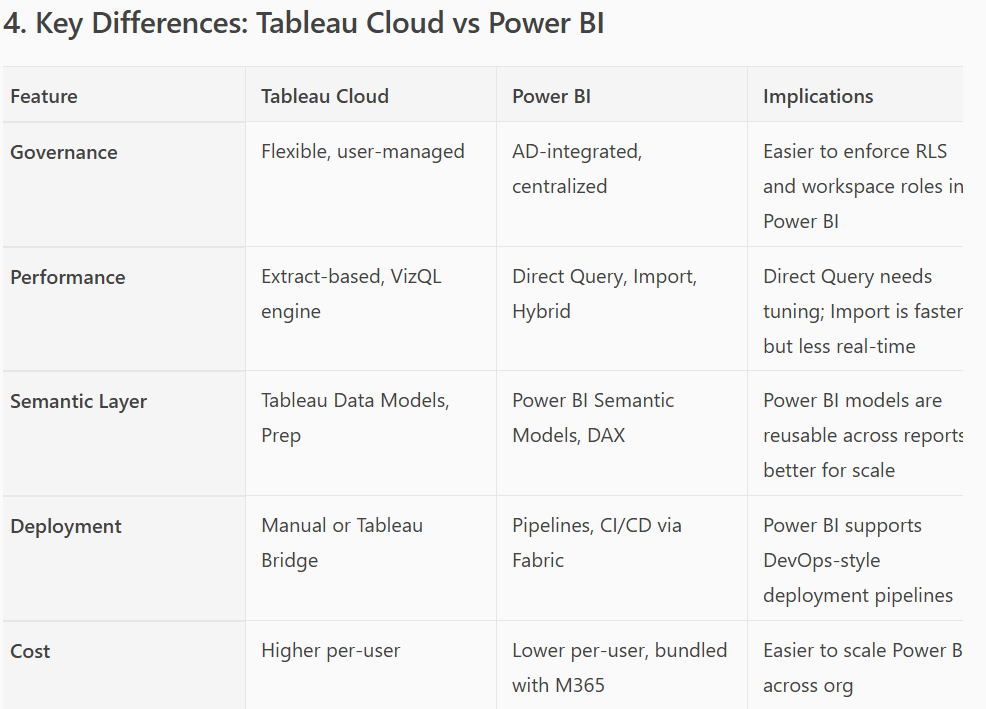
What was useful was that I had told Copilot I’m more experienced in Tableau Cloud and so it provided a comparison table that was informative:
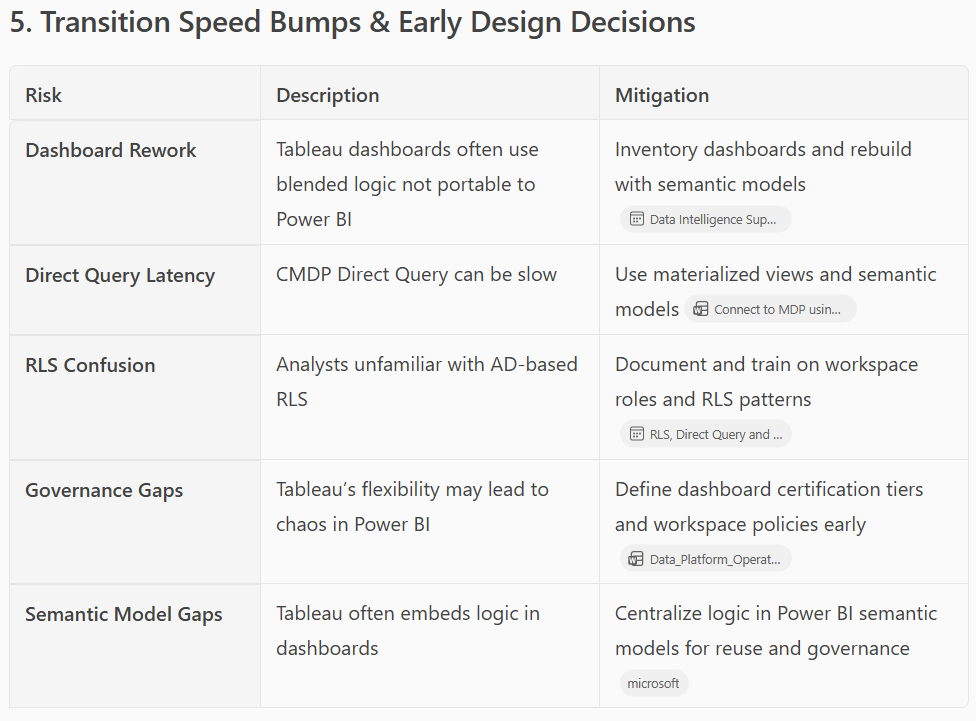
It also generated an interesting table comparing potential hiccups I could face in coming to Power BI from Tableau. Every single one of these raised follow up questions for me though…
One feature I stumbled across that was really interesting to me was the Power Query editor, it looked a lot like Tableau prep or just the Tableau Desktop data prep screens, so I asked for more:
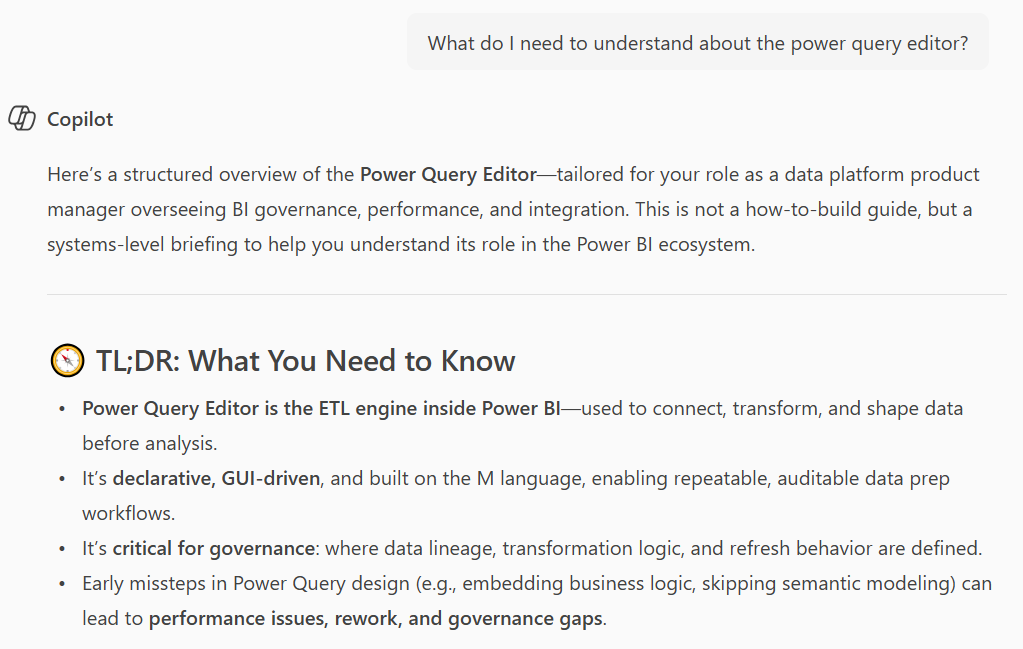
By telling Copilot that I see similarities to Tableau Prep it can tailor its summaries, since it now has context of my frame of reference. This speeds up learning for me a LOT since it draws the comparisons but also points out differences.
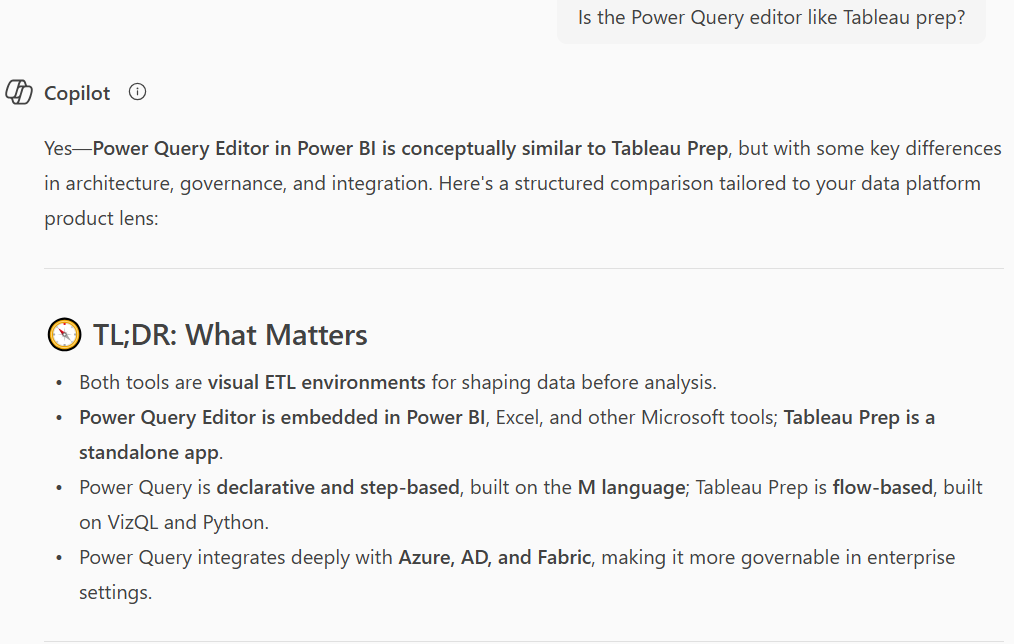
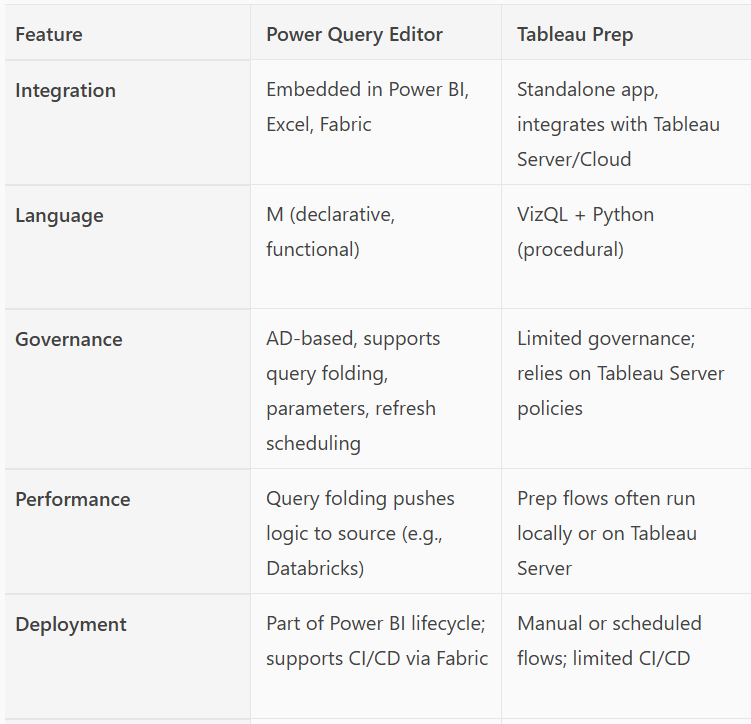
I loved this table, though what is this M language thing you guys?!
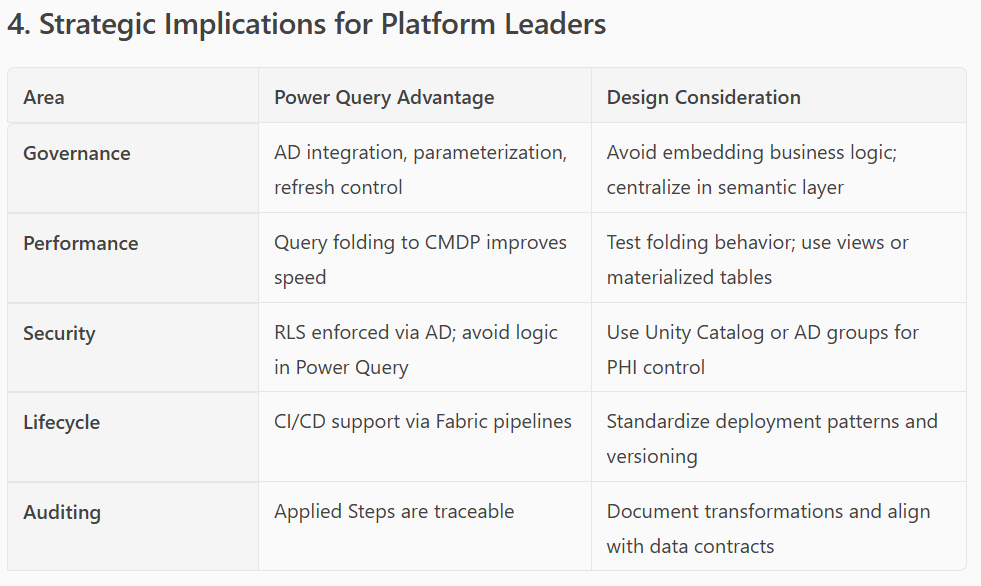
Since it knows my role & context it just also decided to frame it from that higher level platform leader thinking instead of analyst persona perspective, so helpful!
This went on and on for a while longer:
“How does it compare to building a Tableau Data Source and basic preparation in Tableau Desktop?”
“What are some decisions we need to make about how much transformation we want to ship “upstream” into the warehouse vs what should be done in Power BI? How might those best practices shift based on whether the user is part of the central data team vs users embedded in other business units?”
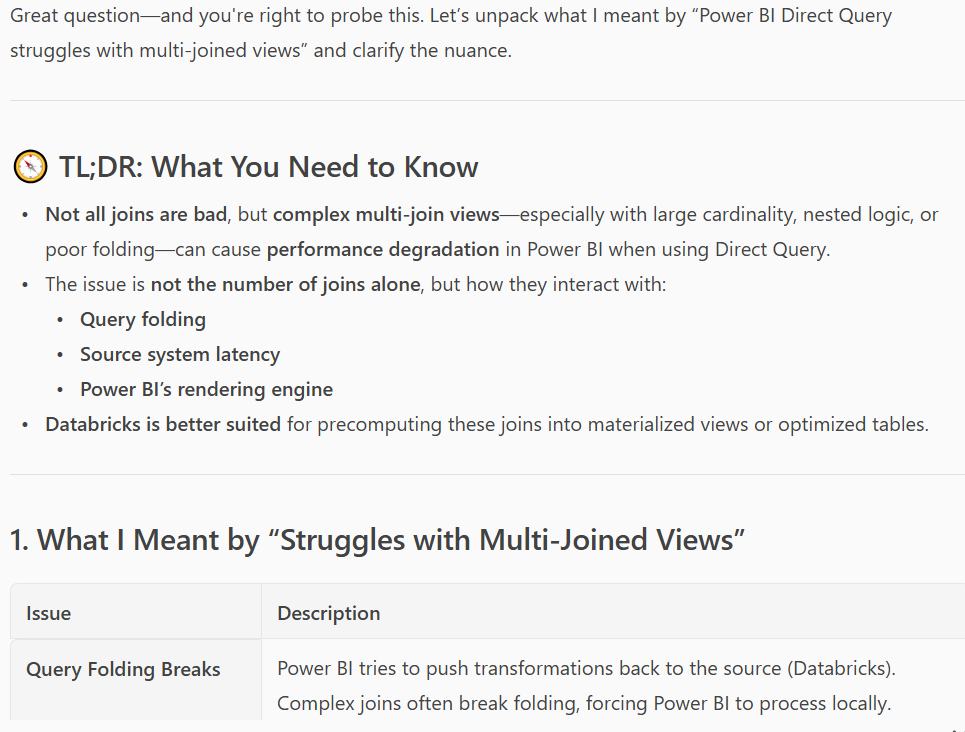
“Explain more what you mean by this “Power BI Direct Query struggles with multi-joined views;” Do you mean any ingest query with more than one join will be slow?”
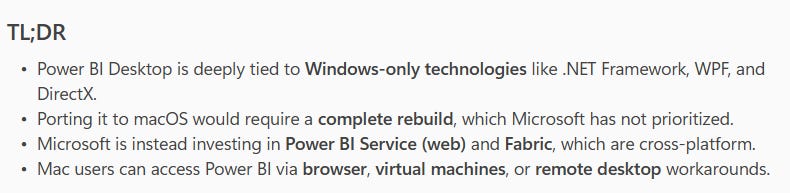
And finally, I asked it why in the world Microsoft refuses to make Power BI desktop for Mac - it gave me this logical but deeply unsatisfying answer - whomp whomp
Eventually I had to get back to another task. But in a few minutes, I closed part of my data literacy gap around Power BI.
This is so much more organic for just-in-time learning. It’s stickier and I can pivot from research into work mode seamlessly (back to writing a PRD, heading off more prepared to a meeting, etc.)
If you aren’t already using AI in this way, give it a shot. And if you have another hack I should try for learning, let me know!
Regarding the article, your points on tech literacy gaps are so insightful. What if GenAI could truly demistify things like dimensional models for everyone, empowering even policy makers? So powerful!